Visualization and outputs
This page describes the visualisation and output capabilities of STEM, and provides practical tips for using them effectively.
Visualization
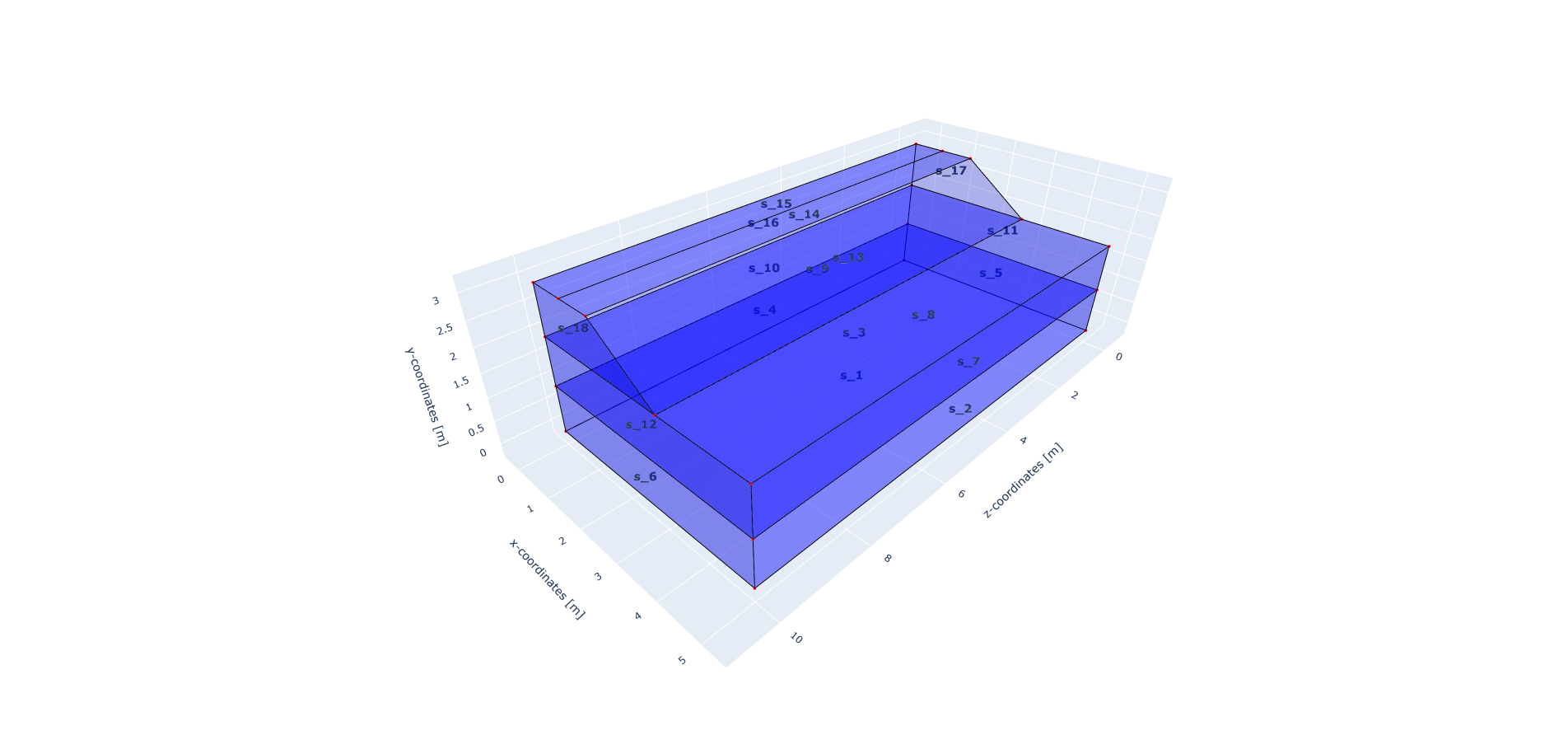
During the model building stage is it convenient to visualize the model and check that it is built as expected. For this purpose, the user can use the ``model.show_geometry()` method:
model.show_geometry()
This method accepts the following optional parameters:
show_volume_ids: whether to show the volume ids of the model.
show_surface_ids: whether to show the surface ids of the model.
show_line_ids: whether to show the line ids of the model.
show_point_ids: whether to show the point ids of the model.
file_name: the name of the file to save the visualization to.
auto_open: whether to automatically open the visualization after saving it.
The following image shows an example of the visualization of a model with the geometry ids shown:
Outputs
STEM can write results in the VTK file format and JSON files. The VTK file format is compatible with ParaView, and it is convenient to inspect the full field of results (e.g. displacements, velocities) at different moments in time. With ParaView, it is also possible to create time series of results and animations. The JSON file format is meant to store time history results at specific nodes in the model.
VTK output
The VTK output can be generated as follows:
from stem.output import NodalOutput, GaussPointOutput, VtkOutputParameters

nodal = [NodalOutput.DISPLACEMENT, NodalOutput.VELOCITY, NodalOutput.ACCELERATION]
gauss = [GaussPointOutput.CAUCHY_STRESS_VECTOR]
vtk = VtkOutputParameters(
    output_interval=1,
    nodal_results=nodal,
    gauss_point_results=gauss,
    output_control_type="step"
)

model.add_output_settings(
    part_name="porous_computational_model_part",
    output_name="vtk_output",
    output_dir="output",
    output_parameters=vtk,
)
First it is necessary to define the results to save, i.e. nodal results such as displacement, velocity and acceleration, or gauss point results such as stress. The VtkOutputParameters class is used to specify the output parameters for the VTK output. The output_interval parameter specifies how often to write the output, while the output_control_type parameter specifies whether to write the output every N steps (“step”) or at time intervals (“time”).
Once the VtkOutputParameters is defined, it can be added to the model using the add_output_settings method.
JSON output
The JSON output can be generated as follows:
from stem.output import NodalOutput, JsonOutputParameters

 desired_output_points = [
                         (0.75, 10, 10),
                         (2.5, 10, 10),
                         ]

 jsn = JsonOutputParameters(output_interval=delta_time,
                            nodal_results=[NodalOutput.VELOCITY],
                            gauss_point_results=[])

 model.add_output_settings_by_coordinates(
     coordinates=desired_output_points,
     output_parameters=jsn,
     output_name="json_output",
 )
Similarly to the VTK output, it is necessary to define the results to save in the JSON output, and specify the output parameters using the JsonOutputParameters class.
The JsonOutputParameters class requires the definition of the output_interval parameter, which specifies how often (in time) to write the output, and the nodal_results and gauss_point_results parameters, which specify the results to save.
- Once the JsonOutputParameters is defined, it can be added to the model using the
add_output_settings_by_coordinates method.
Practical tips
For VTK output, consider the trade-off between output frequency and file size/performance. For large calculations, it may be better to write output every few steps or at specific time intervals rather than every step.
For JSON output, minimize the number of coordinates to writes. This is a time consuming operation, so it is recommended to write JSON output only for the coordinates of interest.
To create fields it is better to use VTK output, while for time series of results at specific points, JSON is more suitable.